
IT teams that need to protect growing data without letting backup storage and recovery times spiral use Dell Backup Appliances to keep backup, archive and disaster recovery under control. PowerProtect DD systems use deduplication and broad software integration to reduce storage growth while supporting recovery across edge, core and cloud environments.
In data centres and distributed sites, that helps maintain shorter backup windows, lower storage overhead and faster restores after cyber incidents or outages. It also supports long-term retention for large content libraries, regulated records and operational data without adding unnecessary management burden.
Comparing multiple platforms? Our experts are available to help.
No commitment needed, no hard sells. Just straightforward technical guidance tailored to your infrastructure.
Full technical specifications are available on each product page.
| Model | Popularity | Target Organisation Size | Primary Use Case | Latency Tier | Scalability Model | Architecture Type | Maximum Raw Capacity | Maximum Expansion Shelves | NVMe Support Level | Controller Cache | |
|---|---|---|---|---|---|---|---|---|---|---|---|
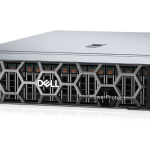
Dell PowerProtect DD Backup Appliance
|
★ ★ ★ | Enterprise | Backup Storage | Backup | Scale-Up | Purpose-Built Backup Appliance | Varies by model | Varies by model | Varies by model | Varies by model | View |
Data centre teams need to shrink backup windows, limit storage growth and recover quickly after cyber or operational incidents. Dell Backup Appliances use deduplication and scalable protection storage to hold more backup and archive data with a smaller footprint, while supporting recovery across edge, core and cloud environments.
Media teams need to protect large files, project repositories and content libraries without backup costs running out of control. Dell Backup Appliances store these assets efficiently and support faster recovery, helping production teams avoid delays when working data needs to be restored.
Hospitality operations depend on reservation, point-of-sale and guest service systems staying available. Dell Backup Appliances help keep recoverable copies of this data in a more resilient backup platform, so sites can restore service quickly after an outage or incident.
Healthcare organisations need to retain patient and clinical data for long periods and recover it with confidence if systems are disrupted. Dell Backup Appliances support long-term retention, disaster recovery and stronger ransomware resilience for records and imaging data.
Finance teams must protect regulated data, recover quickly and keep retention under control across core systems. Dell Backup Appliances provide efficient deduplication, dependable recovery and cyber-resilient retention, helping reduce risk when data loss or slow restores are not acceptable.
CloudIQ gives IT teams health, performance, capacity and predictive analytics across supported Dell infrastructure. By surfacing risk early and highlighting where action is needed, it helps administrators protect service levels, reduce manual checks and plan storage growth with better operational visibility.
Speak to a Dell SpecialistUnisphere provides web-based management for Dell PowerMax, Unity and Unity XT, while PowerStore Manager supports PowerStore administration and monitoring. Together, these tools help storage teams streamline provisioning, snapshots, replication and performance review across mixed environments without friction.
Explore Dell UnisphereAs an authorised Dell partner, we help organisations design, deploy and manage storage environments built for reliable scale and long-term operational control. For infrastructure teams, that means stronger uptime planning, clearer data protection decisions and storage platforms aligned to business-critical workloads.
Contact Our Dell SpecialistsAs an authorised Dell partner, we help organisations design, deploy and manage storage environments that scale reliably and remain straightforward to operate long-term. Contact our Dell specialists for guidance today.

Backed by decades of expertise in the IT sector, our specialists support every stage of your deployment — from initial selection through to long-term lifecycle management.
If these options aren’t the right fit for your environment, we provide a wide portfolio of product series and solutions that may better suit your infrastructure. Explore below, or speak to our team and we’ll help you find the right match.
Whether you know exactly what you need or you’re still evaluating options, our team is available for a no-obligation conversation.